
Start with the moment your audience finds hardest to picture. If a client can see the finished work but struggles to understand what happened in between, you may only need to show that part of the sequence. Give the animator a clear starting point, the steps the viewer needs to follow and a named person who can check that the drawings and words agree.
01
Decide what the viewer should understand afterwards
Write one sentence about the job of the animation. “Show a prospective client how the three stages of our refurbishment service fit together” gives the animator something to plan around. “Make it look more dynamic” leaves the important choices unanswered.
Say who will watch it and when. A sequence introduced by a member of your team in a meeting can leave room for their explanation. The same sequence on a service page needs to make sense on its own. A viewer who already knows the terminology may need to see how two elements fit together. A new buyer may first need to know which part of the site they are looking at.
02
Choose what to reveal
A simple diagram can be enough to explain one relationship. Film can show something the camera can see clearly. Animation can help when a layer is hidden, when several stages need to be compared from the same angle or when showing a whole sequence on site would be difficult. Choose the format around the explanation and the material you have.
List the moments that change what the viewer knows. For each one, ask what they need to see, which label would help and what can be left out. Keep the parts that matter to the explanation visible throughout. If a drawing needs to switch from a plan view to a cutaway, give the viewer a recognisable feature to follow between the two.
03
Give the animator sources they can work from
Send the latest approved diagram, drawing or photograph for each stage, with a short note explaining what it shows. Identify which references show a real project and which are there to explain the idea. Mark any details that the business needs to keep private and confirm what the team has permission to use.
Ask someone who knows the work to review the sequence as well as the labels. An animator might move a component to keep a frame tidy without knowing that the change alters the meaning. Check what can be simplified and what must stay in the right order or location. If the animation is illustrative, agree how to say so on screen or alongside it. If viewers need to carry out the work, point them to the approved instructions. The marketing animation can explain the idea, but it should not become the working instruction.
04
Approve a rough sequence before the final look
Ask to see the main frames in order, with the planned labels or narration. A rough timed sequence is useful when the viewer needs to read a caption or follow two things moving at once. Ask your reviewer to flag the specific frame and explain what someone could get wrong. “Keep this layer visible until the next frame so the viewer can see which part has been replaced” is much easier to act on than “make the transition clearer”.
Once you have agreed the story, decide how much time to spend on surface detail, camera movement and sound. If you leave a technical decision until final review, it can affect the timing, captions and every version produced from the master.
05
A hypothetical example: explaining an occupied refurbishment
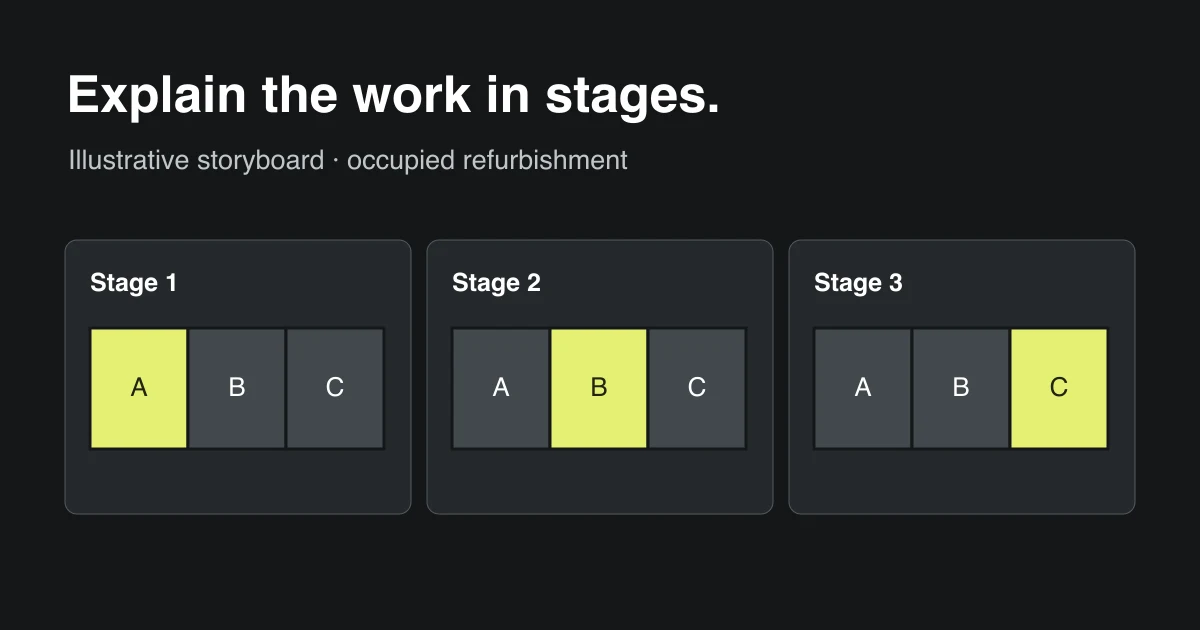
Imagine a contractor wants to show a facilities manager how work moved between zones in an occupied building. A plan can do most of the work. Keep the floor outline still, use a clear label for each zone and show the three stages one at a time. At the end, show the change as a single view so the audience can see how the stages fit together.
The team checks the sequence against an approved project diagram. It removes room names the client has not cleared for publication and labels the plan as illustrative. The animation explains one project approach; it does not suggest that every building can follow the same plan. The contractor can then use the film to open a conversation about a different site and its own constraints.
06
Agree what you need to receive
Put the intended placements in the brief. A website version may have room for the full sequence; a shorter version for social may need to explain just one stage and point to the rest. Check how the smallest label looks on a phone, how long a first-time viewer has to read it and whether the sequence makes sense with the sound off. If the work will be updated, agree who keeps the editable material and how a change to the underlying reference should be reviewed.
07
Send a one-page brief
For each stage, write down what the viewer should see, the source the animator should use and the detail that must stay accurate. Name the reviewer and when they need to look at the rough sequence. Finish with the formats you need and who will approve the final versions.
For example: “Stage two: show Zone B after Zone A reopens. Use the approved project plan. Keep the two zone labels visible as the highlight changes. The project lead will check the order before we approve the rough sequence.” One line like this makes the next conversation much easier.
If your main material is live action, use our guide to working with existing construction footage to decide whether an edit will do the job. If a diagram would make the explanation clearer, see how we scope animation and video for construction. Bring one approved reference and the question your clients keep asking when you get in touch about the storyboard.