01
Explain the work you want
Name your services, the types of project you take on and the areas you cover. A main contractor’s capabilities and tender experience need a different presentation from a local trade’s domestic services.
02
Show relevant proof
Select projects that reflect the work you want more of. Explain the brief, your role and the finished work. Credit collaborators and use testimonials with permission.
03
Make the next step obvious
Give people a clear route to contact you. Keep the initial enquiry focused on the information you need to decide whether you can help.
04
A worked example: a contractor project page
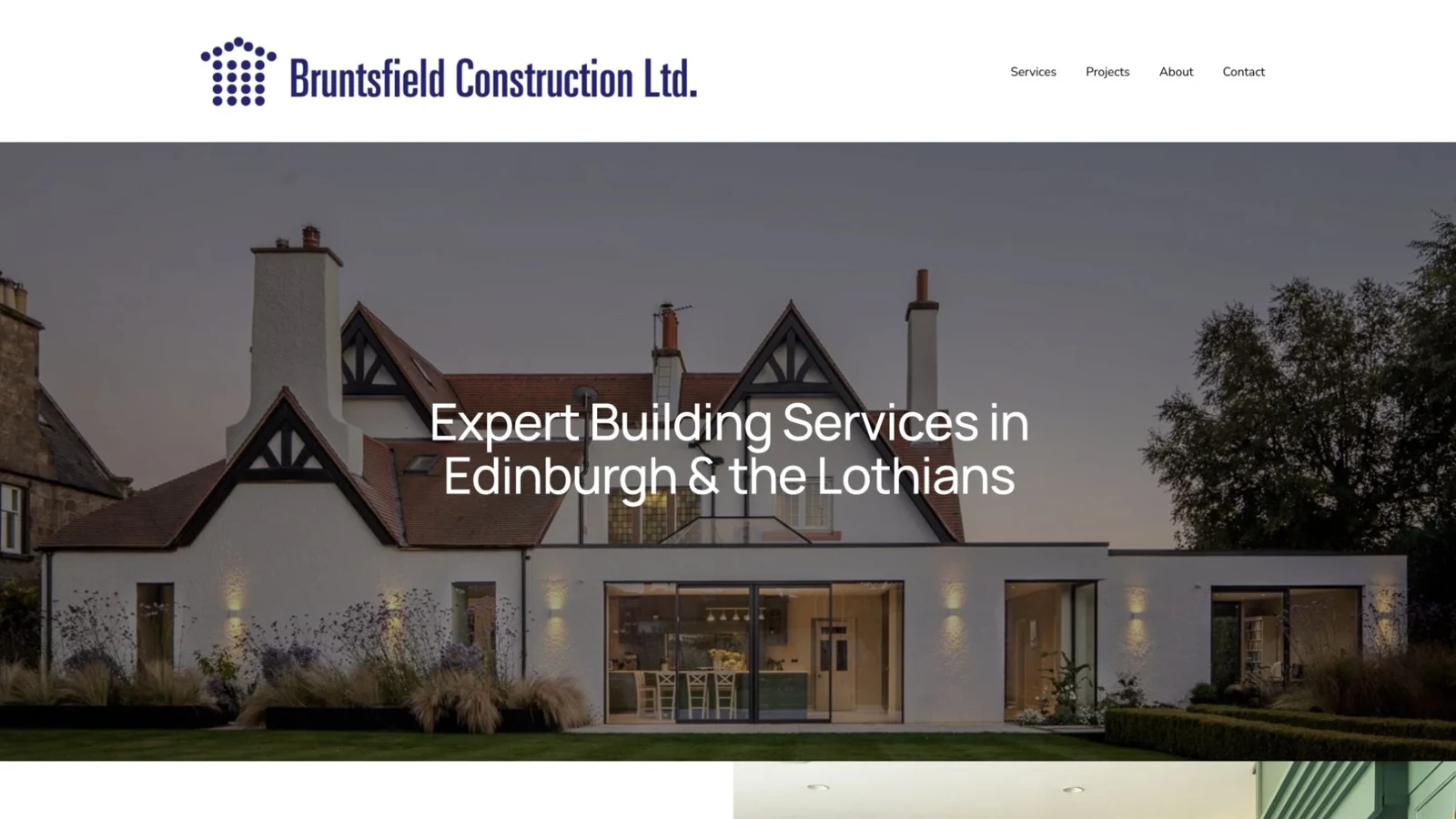
Start with a clear project name and the service delivered. Add the brief, the contractor’s role, selected photographs and an account of the completed work. Finish with a link to the relevant service and one enquiry action. Bruntsfield Construction’s replacement website is an example of our focus on project photography, navigation and mobile browsing. The useful test is whether someone unfamiliar with the business can understand the work without calling for basic information.
05
Plan for maintenance
Agree who will add projects, update service information and check incoming enquiries. A useful site needs an owner after launch.
FROM OUR WEBSITE WORK
A practical check using Bruntsfield.
Bruntsfield’s previous website looked dated and made its projects and services difficult to browse. The replacement focused on the presentation of the work and clearer navigation. Use the same questions when reviewing your own site:
- First impression: does the opening show the type and standard of work you want to be appointed for?
- Finding a service: can a visitor unfamiliar with your business identify the relevant service from the navigation?
- Assessing experience: can they find project imagery and understand what your business contributed?
- Making contact: is the next step clear when they have seen enough to enquire?
Ask someone outside the business to try these tasks on a phone. Note where they hesitate and what information they cannot find. That creates a more useful improvement brief than asking only whether they like the design.
See the Bruntsfield redesign and client feedbackSEE THE WORK
Explore the Bruntsfield website project